When developing locally, you can add a private GitHub repository to your Rust
crate as a git dependency
and cargo should be able to retrieve it
just fine.
However, when you push your changes to GitHub and run CI, GitHub Actions can run into authentication issues when trying to build your crate.
This is the error message I was fighting for a good part of today:
$ cargo check --workspace --verbose --locked
 Updating git repository `https://github.com/Michael-F-Bryan/my-secret-repo.git`
 Running `git fetch --force --update-head-ok 'https://github.com/Michael-F-Bryan/my-secret-repo.git' '+HEAD:refs/remotes/origin/HEAD'`
Error: failed to get `internal-crate` as a dependency of package `some-crate v0.1.4 (/home/runner/work/some-crate/some-crate/crates/cli)`
Caused by:
 failed to load source for dependency `internal-crate`

Caused by:
 Unable to update https://github.com/Michael-F-Bryan/my-secret-repo.git

Caused by:
 failed to clone into: /home/runner/.cargo/git/db/my-secret-repo-20c1af0756e23bf7

Caused by:
 process didn't exit successfully: `git fetch --force --update-head-ok 'https://github.com/Michael-F-Bryan/my-secret-repo.git' '+HEAD:refs/remotes/origin/HEAD'` (exit status: 128)
 --- stderr
 fatal: could not read Username for 'https://github.com': No such device or address
Error: The process '/home/runner/.cargo/bin/cargo' failed with exit code 101
Cargo can’t check out my private repository!
This happens because the user on your dev machine is usually associated with a particular GitHub account and that account has access to the private repository, whereas the GitHub Actions user can only see the repository it’s attached to.
The Cargo Book has a chapter on Git Authentication , but the HTTPS Authentication method they suggest (using credential stores) stopped working in August 2021 when GitHub shut down password authentication .
Nowadays, the best way to authenticate with GitHub is via Deploy Keys . This is a set of SSH keys that will give users read-only access (by default) to a particular repository.
Contents 4-minute read
- Published
- Updated
Generate Deploy Keys Link to heading
First, we’ll need to generate a set of SSH keys that we can use.
$ ssh-keygen -t rsa -b 4096
Generating public/private rsa key pair.
Enter file in which to save the key (~/.ssh/id_rsa): /tmp/secret-repo-deploy-key
Enter passphrase (empty for no passphrase):
Enter same passphrase again:
Your identification has been saved in /tmp/secret-repo-deploy-key
Your public key has been saved in /tmp/secret-repo-deploy-key.pub
...
This process should be familiar to anyone that’s worked with Git or SSH before.
Uploading the Deploy Key Link to heading
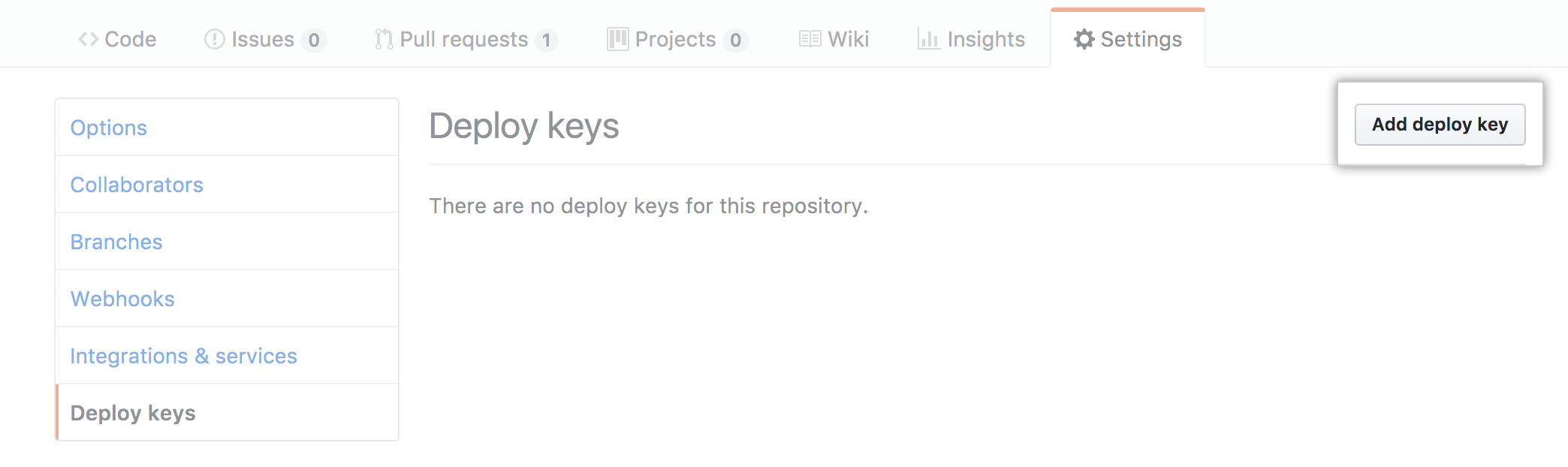
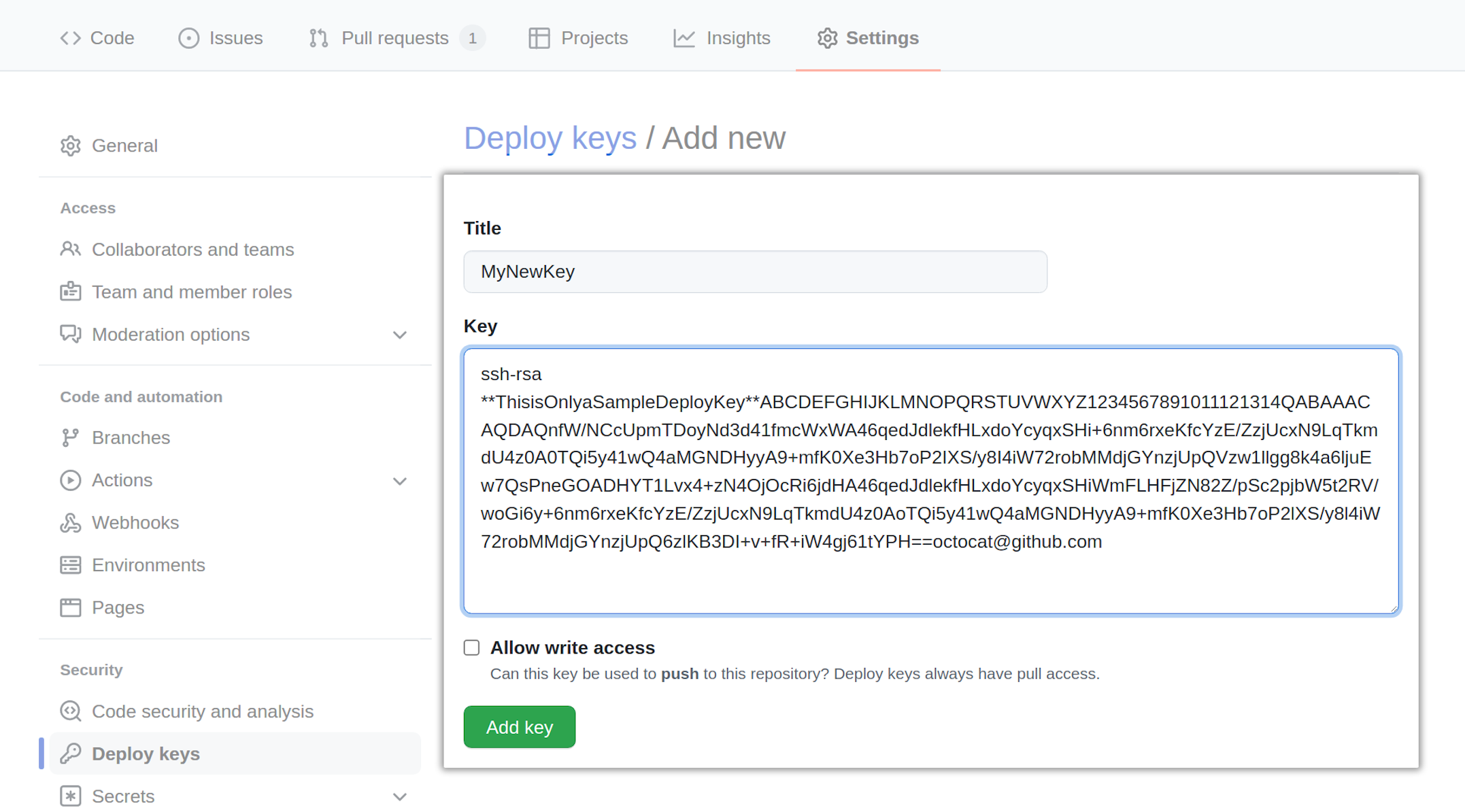
Now we need to add the public key as a deploy key to the repository we want
access to (Michael-F-Bryan/my-secret-repo in this case). GitHub’s website has
some docs
for this, but the process is pretty simple.
Here, have some screenshots.
Adding it to GitHub Secrets Link to heading
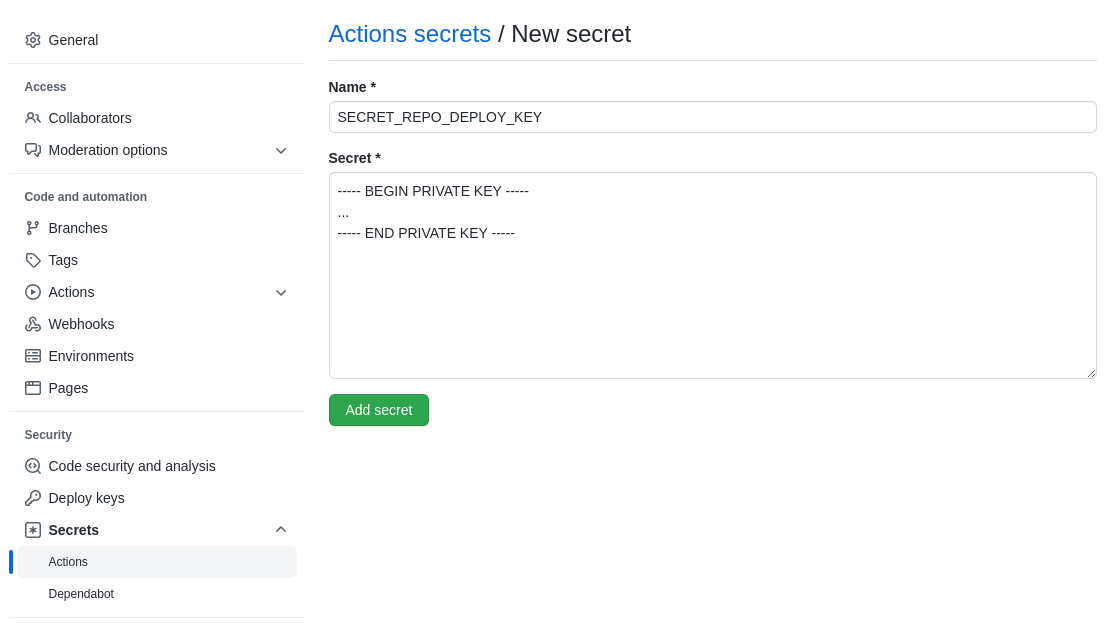
If our project wants access to this private repository, we’ll need to give it the private half of our deploy key to use.
We do this by adding the private key to our repository as a secret called
SECRET_REPO_DEPLOY_KEY.
Updating the Source Code Link to heading
Now we’ve set up the deploy keys, it’s time to use them.
First, add the dependency using its ssh URL.
# Cargo.toml
[dependencies]
internal-crate = { git = "ssh://[email protected]/Michael-F-Bryan/my-secret-repo.git", ... }
We need to make sure each job in GitHub Actions uses the deploy key that we’re
setting up. You can do this manually
, but I find it easier to load
it into ssh-agent with the
webfactory/ssh-agent
action.
# .github/workflows/ci.yml
jobs:
  compile-and-test:
    ...
    steps:
    ...
    - name: Give GitHub Actions access to Michael-F-Bryan/my-secret-repo
      uses: webfactory/[email protected]
      with:
        ssh-private-key: ${{ secrets.SECRET_REPO_DEPLOY_KEY }}
That’s all you should need. Now when you commit and push the changes to GitHub, your crate should build again.
Good Luck 🙂